

You’re standing in your workshop or at the home improvement store, staring at two similar-looking cordless tools. One is labeled a drill, the other an impact driver. They look almost identical, so why do so many experienced DIYers and contractors insist on owning both? The answer lies in understanding what is the difference between a drill and an impact driver, and recognizing that these tools excel at different tasks despite their similar appearance.
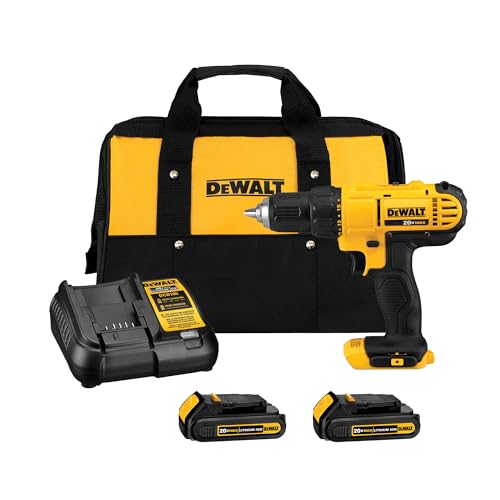
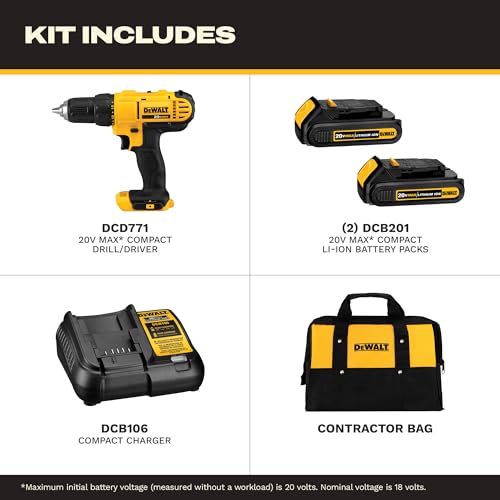
DEWALT 20V Max Cordless Drill Driver Kit with 2 Batteries & Charger
- Lightweight design fits into tight areas
- High performance motor delivers 300 unit watts out (UWO) of power ability completing a wide range of applications
- High speed transmission delivers two speeds (0-450 & 1,500 rpm) for a range of fastening and drilling applications
- 1/2' single sleeve ratcheting chuck provides tight bit gripping strength. Ergonomic handle delivers comfort and control


As an Amazon Associate we earn from qualifying purchases. Product prices and availability are accurate as of the date/time indicated.
In 2026, having the right tool for the job isn’t just about convenience—it’s about efficiency, safety, and getting professional results. Whether you’re building shelves, assembling furniture, or tackling a renovation project, knowing when to reach for a drill versus an impact driver can save you time, prevent frustration, and protect your tools from unnecessary wear. This guide breaks down the key differences, helps you understand when to use each tool, and gives you practical advice for choosing the right one for your workshop.
We’ll explore how these tools work differently, what makes each one special, and most importantly, how to match the right tool to your specific project needs. By the end of this article, you’ll have a clear understanding of what is the difference between a drill and an impact driver and be confident in your tool selection decisions.
Understanding the Core Mechanical Differences
The fundamental difference between a drill and an impact driver comes down to how each tool applies force to fasteners and materials. While both tools spin, they do so in distinctly different ways that affect their performance and suitability for specific tasks.
How a Traditional Drill Works
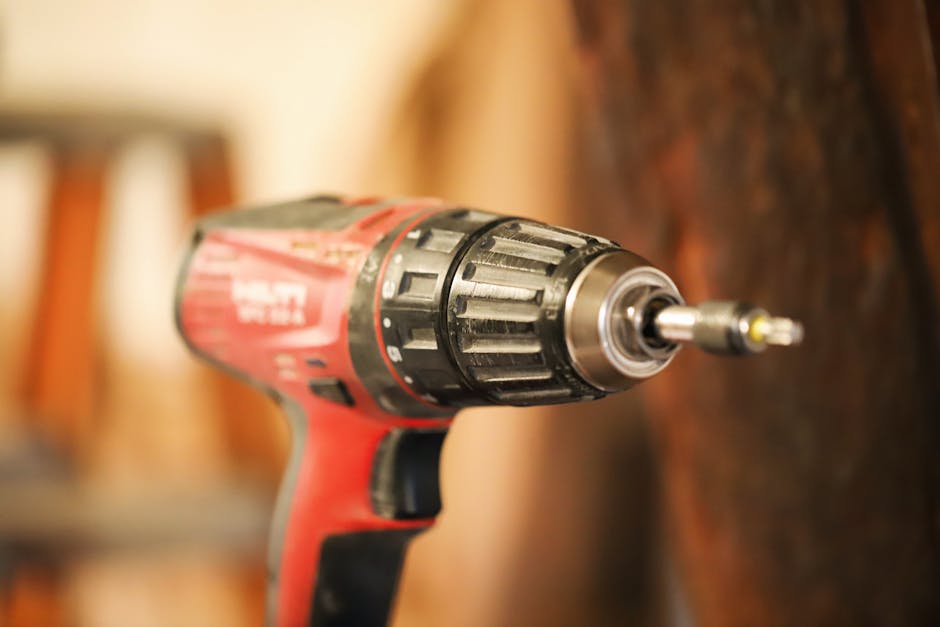
A traditional drill applies steady, continuous rotational force to a bit. When you squeeze the trigger, the motor spins the chuck and bit at a consistent speed. The harder you press, the faster it spins, but the motion remains smooth and continuous. This steady rotation is perfect for drilling holes through wood, metal, and plastic, and for driving screws into materials where you need controlled, predictable force.
Drills typically offer variable speed control, allowing you to adjust RPM (revolutions per minute) based on your material and task. Lower speeds provide better control and more torque, while higher speeds work well for drilling smaller holes quickly. This versatility makes drills incredibly useful for general-purpose workshop tasks.
How an Impact Driver Operates
An impact driver works on an entirely different principle. Instead of applying smooth, continuous rotation, an impact driver delivers rapid bursts of rotational force—thousands of impacts per minute. Inside the tool, a spring-loaded hammer mechanism strikes an anvil attached to the chuck, creating these quick, powerful pulses. This hammering action is what gives the impact driver its name and its distinctive sound.
These impacts deliver significantly more torque than a drill of similar size, and they do so in short bursts rather than continuous rotation. This makes impact drivers exceptional at driving large fasteners, breaking loose stuck bolts, and powering through tough materials where continuous rotation would cause the tool to stall or bind.
Power and Torque: When Brute Force Matters
Power and torque are crucial factors in understanding what is the difference between a drill and an impact driver. These specifications directly affect what tasks each tool handles best and how efficiently you’ll work.
Torque Output and Application
Impact drivers deliver substantially higher torque than drills, often two to three times more. A typical mid-range drill might produce 400-500 inch-pounds of torque, while a comparable impact driver generates 1,000-1,500 inch-pounds or more. This dramatic difference matters when you’re driving large deck screws, lag bolts, or fasteners into dense hardwood.
However, more torque doesn’t automatically mean a better tool. The impact driver’s torque comes in short bursts, which is excellent for overcoming resistance but can be overkill for delicate work. A drill’s steady torque gives you better control when you need precision, such as when driving fasteners into thin materials or soft woods where excess force could cause damage.
Speed Considerations
Drills typically operate at higher RPMs, ranging from 500 to 3,000 RPM depending on the model and speed setting. This higher speed makes them efficient for drilling holes, especially smaller diameter holes. Impact drivers usually run at lower RPMs, typically 1,000-2,000, but their impact mechanism makes up for this with raw power delivery.
For general drilling tasks, the higher speed of a drill means you’ll complete the job faster. For fastening tasks where you need maximum power, the impact driver’s lower speed combined with its impact mechanism delivers superior performance.
Drilling Holes: Where Drills Shine
When it comes to drilling holes, the traditional drill is the clear winner. Understanding why helps clarify what is the difference between a drill and an impact driver in practical terms.
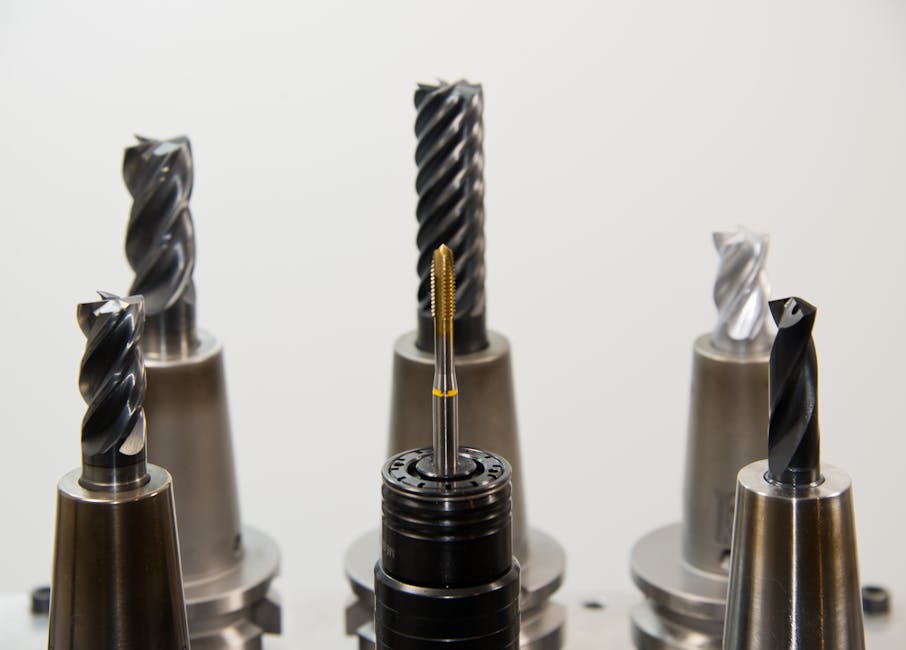
Precision and Control in Hole Drilling
Drills excel at drilling because their steady rotation allows for precise hole placement and consistent depth control. When you’re drilling a hole for a shelf bracket, installing cabinet hardware, or creating pilot holes for fasteners, you need that smooth, controllable motion. The variable speed feature lets you start slowly to ensure the bit doesn’t slip, then speed up once the hole is established.
Impact drivers, by contrast, aren’t designed for hole drilling. Their rapid impacts can cause the bit to slip or bounce, especially in harder materials, leading to inaccurate holes. The impact mechanism is optimized for fastening, not drilling, so using an impact driver for holes is like using a hammer when you need a screwdriver.
Working with Different Materials
Drills handle a wide variety of materials effectively:
- Wood of all densities and thicknesses
- Metal, from soft aluminum to steel
- Plastic and composite materials
- Masonry with appropriate bits and settings
- Tile and glass with specialized bits
A drill’s variable speed and smooth rotation make it adaptable to these different materials. You can slow down for delicate work and speed up for aggressive drilling, adjusting on the fly as needed. This versatility is one reason many workshops have a drill as a foundational tool.
Driving Fasteners: Where Impact Drivers Excel
Impact drivers were specifically engineered for fastening tasks, and they deliver remarkable performance in this area. This is perhaps the most important distinction in understanding what is the difference between a drill and an impact driver.

Fastening Speed and Power
If you’ve ever used an impact driver, you know how quickly it drives fasteners. The tool’s impact mechanism delivers power in pulses, which prevents the motor from stalling even when driving large fasteners into dense materials. A task that might take 30 seconds with a drill could take just 10 seconds with an impact driver.
This speed advantage becomes significant when you’re driving dozens or hundreds of fasteners. On a deck project with hundreds of screws, an impact driver saves hours of work. The tool maintains consistent power throughout the fastening process, never bogging down the way a drill might when driving a large screw into hardwood.
Handling Stuck and Stubborn Fasteners
One of the impact driver’s greatest strengths is its ability to handle seized or stuck fasteners. The rapid impacts can break the corrosion bond and help extract rusted bolts or screws that a regular drill would simply spin against without moving. This makes impact drivers invaluable for automotive work, maintenance tasks, and restoration projects where you encounter corroded fasteners.
The impact mechanism also reduces the likelihood of cam-out, where the bit slips out of the fastener head. This happens because the impacts keep the bit firmly seated in the fastener, providing better grip than continuous rotation alone.
Reduced Operator Fatigue
Impact drivers are easier on your hands and wrists, especially during extended use. Because the tool’s impact mechanism does much of the work, you don’t need to apply as much downward pressure as you would with a drill. This reduced physical demand makes impact drivers more comfortable for long fastening sessions and for users with less hand strength.
Size, Weight, and Handling Differences
Beyond mechanical differences, impact drivers and drills differ in physical characteristics that affect how you use them.
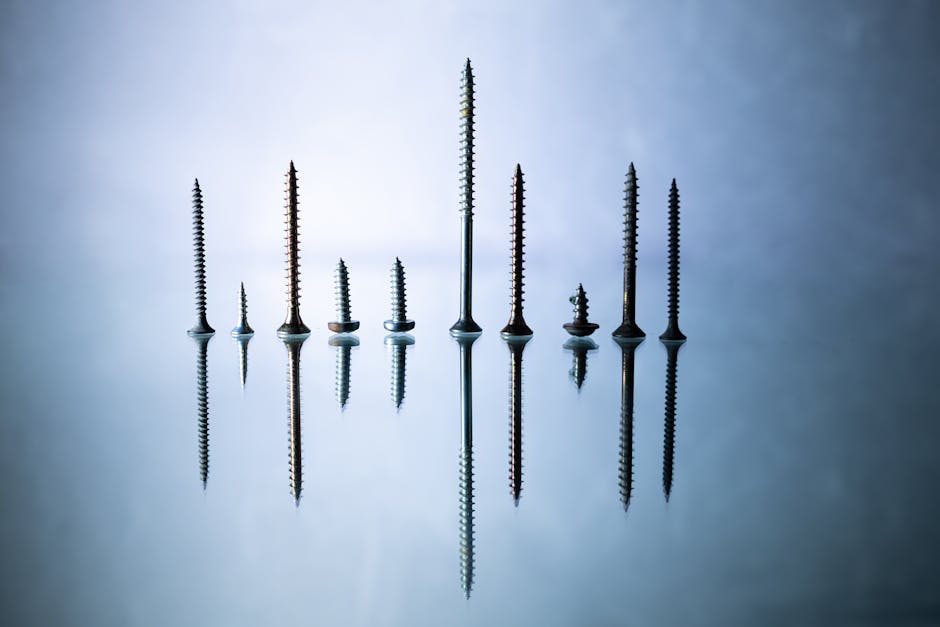
Compact Design Advantages
Impact drivers are typically more compact and lighter than drills of comparable power. This compact design makes them excellent for working in tight spaces, overhead work, and situations where you need to reach into confined areas. If you’re installing fasteners inside a cabinet, under a deck, or in other cramped spaces, the impact driver’s smaller footprint is a real advantage.
Noise and Vibration Levels
Impact drivers are noticeably louder than drills due to their impact mechanism. The rapid striking produces a distinctive buzzing or rattling sound. In a workshop environment, this isn’t usually a problem, but if you’re working early morning or late evening in a residential area, the noise might be a consideration. Drills operate more quietly, making them better for noise-sensitive situations.
Vibration is another consideration. Impact drivers produce more vibration due to their impact action, though this is usually well-controlled by the tool’s design. Drills generate less vibration overall, which some users find more comfortable for extended use.
Pro Tips and Best Practices
Use the Right Tool for the Task
The golden rule: use a drill for drilling holes and an impact driver for driving fasteners. Trying to use an impact driver to drill holes will frustrate you with poor results, and using a drill to drive large fasteners is inefficient and hard on the tool. Matching the tool to the task makes every project easier and extends tool life.
Invest in Both Tools
If you’re serious about your workshop, owning both a quality drill and impact driver makes sense. They’re complementary tools, not competing ones. Many professionals and dedicated DIYers keep both in their tool bag because each excels at different jobs. Check out our guide on how to choose a cordless drill for home use to understand what features matter when selecting a drill.
Start with Appropriate Bit Pressure
When using an impact driver, you don’t need to press hard. Let the tool’s impact mechanism do the work. Applying excessive downward pressure doesn’t speed up the fastening and can cause fatigue. With drills, moderate downward pressure helps maintain control and ensures the bit stays centered in your work.
Use Impact-Rated Bits and Fasteners
Impact drivers can damage regular bits due to the high-impact forces. Always use bits and fasteners specifically rated for impact tools. These are designed to withstand the repeated impacts without breaking or stripping. Regular bits may work occasionally, but impact-rated bits are engineered for the job and last longer.
Maintain Proper Grip and Stance
With either tool, maintain a firm grip and stable stance. For impact drivers, a solid grip prevents the tool from twisting your wrist if it binds. For drills, good control helps you maintain hole alignment and prevents the tool from rotating unexpectedly if the bit catches.
Check Battery Compatibility
If you’re building a tool collection, consider getting drill and impact driver from the same manufacturer so they share battery systems. This saves money, reduces the number of chargers you need, and ensures you always have compatible power sources for both tools.
Common Mistakes to Avoid
Using an Impact Driver for Hole Drilling
This is perhaps the most common mistake. Impact drivers aren’t designed for drilling holes, and attempting this task leads to inaccurate holes, bit slippage, and potential damage to the tool. Reserve your impact driver for fastening tasks where it excels.
Overdoing Fastener Pressure with an Impact Driver
Pushing hard on an impact driver won’t make it work faster or better. The tool’s impact mechanism is already delivering maximum power. Excessive pressure just causes fatigue and can damage fasteners or work surfaces. Let the tool do its job with minimal downward force.
Using Regular Bits in an Impact Driver
Standard drill bits and driver bits aren’t rated for impact forces and can break or wear out quickly in an impact driver. Always use bits specifically labeled as impact-rated. This small investment in proper bits saves money in the long run and prevents frustration from broken tools mid-project.
Ignoring Speed Settings on Your Drill
Many drills have two-speed or variable-speed settings, but some users just max out the speed for everything. Using the appropriate speed for your task improves control, reduces bit breakage, and produces better results. Slow speeds for drilling hard materials and driving fasteners, higher speeds for softer materials and larger holes.
Not Using Pilot Holes for Fastening
Even with an impact driver’s power, using pilot holes when driving fasteners into hardwood or dense materials prevents splitting and ensures better fastener seating. A quick pilot hole with your drill makes fastening with your impact driver cleaner and more professional.
Conclusion
Understanding what is the difference between a drill and an impact driver is fundamental to working efficiently in your workshop. These aren’t interchangeable tools, despite their similar appearance. A drill’s steady rotation and variable speed make it ideal for drilling holes and controlled fastening tasks. An impact driver’s rapid-fire impact mechanism makes it unbeatable for driving large fasteners quickly and handling stubborn, stuck bolts.
In 2026, the best workshops include both tools. They’re complementary, not competing. A quality drill handles your drilling and precision fastening needs, while an impact driver tackles heavy-duty fastening and saves you time on repetitive tasks. By matching the right tool to each task, you’ll work faster, achieve better results, and reduce wear on your equipment.
Ready to build a complete tool collection? Explore our expert reviews and comparison guide for cordless drills to find the perfect drill for your needs, and consider adding an impact driver to round out your fastening capabilities.
Recommended Products

PULITUO 20V Cordless Drill Driver Kit with 2 Batteries & 34 Pieces
- Powerful 20 V Motor and 2 x 1.5 Ah Battery: Equipped with a robust 20 V motor and 2 Li-ion battery, this cordless drill delivers smooth power for various drilling and driving tasks;Its rechargeable battery ensures you're always ready for next project
- 2 Variable Speed Settings for Versatility: With two speed options (0-400, 0-1500 RPM ), this drill provides ultimate control over your applications; Perfect for both delicate tasks and heavy-duty jobs, you can easily adjust the speed to match your needs
- Robust 266 In-lb (30 N.m) Torque and 21+1 Settings: With a maximum torque of 266 In-lb (30 N.m) and 21+1 adjustable settings, this drill excels in precision and ease; It prevents over-tightening and protects your materials with its precise torque control
- Comprehensive 34-Piece Drill Kit: You’ll get a 20 V cordless drill with battery and charger, 4 wood bits, 4 twist bits, extension bar, flexible shaft, 10 short screwdriver bits, 10 long screwdriver bits, and a screw anchor set- all essentials in one set
- Effortless Precision with LED Illumination: Lightweight and user-friendly, this electric drill features an LED light to illuminate your workspace for precise drilling in dark or tight areas; Its effortless operation and intuitive controls make it perfect for both beginners and pros


As an Amazon Associate we earn from qualifying purchases. Product prices and availability are accurate as of the date/time indicated.
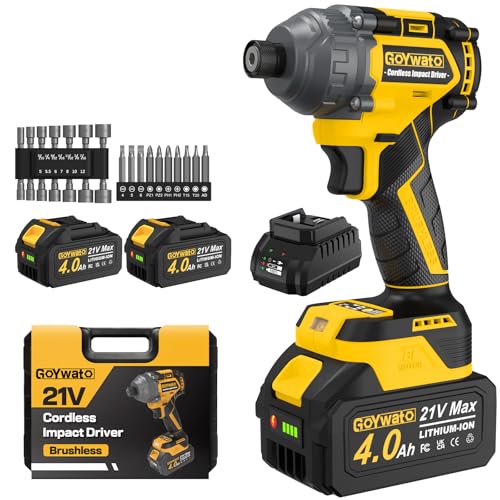
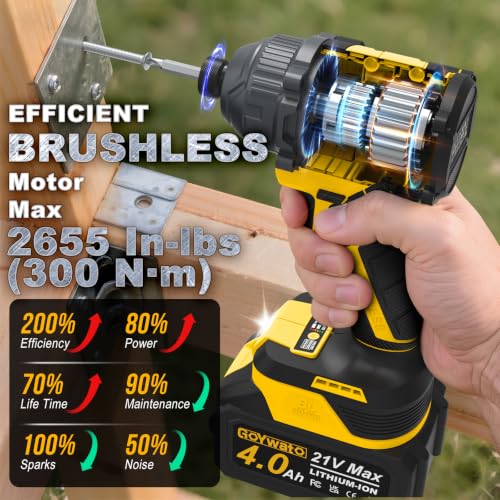
GoYwato 2655In-lbs 21V Brushless 1/4" Cordless Impact Driver Set Yellow
- Powerful Brushless Motor : GoYwato cordless 1/4 impact driver is equipped with a high-efficiency brushless motor that operates quietly, runs cooler, and has a longer lifespan. With a maximum torque of up to 2655 in-lbs (300 N·m), it is suitable for furniture assembly, frame building, tightening long-rusted screws, and many other applications, providing reliable power to easily handle various tightening tasks and improve work efficiency.
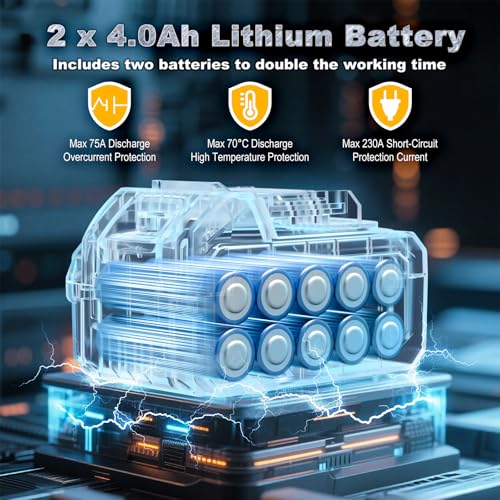
- 2 x 4.0Ah Batteries : GoYwato cordless impact driver set comes with 2 x 4.0Ah batteries and a charger. The two batteries can be used interchangeably, when one runs out of power, you can simply recharge it with the charger while continuing your work with the other. This allows for extended runtime and high efficiency without worrying about power supply issues. Moreover, our batteries are equipped with maximum 75A over-current discharge protection, a short-circuit protection current of up to 230A, and high-temperature discharge protection of up to 70°C. With these safety features, you can work with confidence and enjoy a smoother, seamless experience.
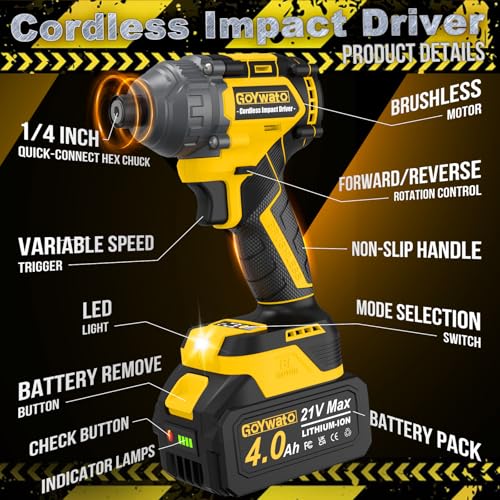
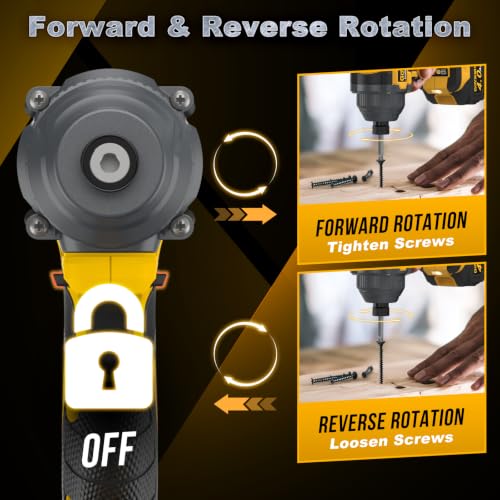
- Two-Way Mode & Reverse Automatic Stop : GoYwato cordless power impact drivers has two modes: forward and reverse. Forward mode is used for tightening, and reverse mode is used for disassembly. Low-speed and high-speed forward modes can be flexibly switched according to different working scenarios and needs. In reverse mode, pressing the "yellow button" switch on the gear display will activate the reverse automatic stop mode. Pulling the speed trigger will activate the braking stop device once the screw loosens, reducing speed and torque to prevent screws from flying out. Pressing the "yellow button" switch again will deactivate the reverse automatic stop mode.
- 1/4-Inch All-Metal Hex Chuck : GoYwato cordless brushless impact driver come with a 1/4-inch hex chuck, use steel ball fix design, drill bit has a relatively large groove area, therefore, when the drill bit is pulled outward, it is a loose drill bit, but it is only limited to being pulled to the position of the groove. When you need to remove the drill bit, simply pull the chuck to release the steel balls and remove it easily without needing to turn the chuck knob. Easily change screwdriver bits or sockets without any tools. Every design element is aimed at enhancing your user experience, making work smoother and more efficient.
- Ergonomic Design : GoYwato cordless impact drill features a built-in bright LED light that activates as soon as you pull the trigger, illuminating dimly lit work areas for clear visibility and safe operation. This compact impact driver features an ergonomic design and weighs only 3.62 lbs (1.64 kg), making it easy to operate even in confined spaces and improving overall work flexibility. The handle is wrapped in soft rubber for a comfortable, secure grip that reduces hand strain during prolonged use, offering a pleasant and effortless working experience.
- Suitable for Various Projects Impact Driver Kit : 1 x 1/4" cordless impact driver, 2 x 4.0 Ah battery, 1 x charger, 14 x socket set(5,5.5,6,7,8,10,12mm; 3/16",1/4",9/32",5/16",11/32",3/8",7/16"), 10 x screwdriver bit(5/32,3/16,1/4; PZ1,PZ2, PZ3; T15,T20,T25,T30), 1 x carrying case, 1 x user manual
- User Service : GoYwato power screw driver cordless provides 365 days of product service, to ensure your shopping journey. If you have any problems, please tell us, we will solve your problems at the first time



As an Amazon Associate we earn from qualifying purchases. Product prices and availability are accurate as of the date/time indicated.
Frequently Asked Questions
Can I use a drill as an impact driver?
Not effectively. While a drill can drive fasteners, it lacks the power and impact mechanism of a dedicated impact driver, making it slow and inefficient for heavy-duty fastening tasks. For serious fastening work, you need an actual impact driver.
Can I use an impact driver to drill holes?
You shouldn’t. An impact driver’s rapid impacts cause bit slippage and inaccurate holes. The tool is designed for fastening, not drilling. Always use a drill for hole drilling tasks.
Which tool is better for beginners?
Start with a drill. It’s more versatile for general tasks, easier to control, and safer for learning basic tool skills. Once you’re comfortable, add an impact driver for fastening-intensive projects.
Do I really need both a drill and an impact driver?
If you do varied workshop projects, yes. They excel at different tasks, and having both makes you more efficient. However, if your projects are limited, a quality drill can handle most tasks adequately.
What’s the difference in battery requirements?
Impact drivers typically consume battery power faster than drills due to their higher-impact forces. Having extra batteries or higher-capacity batteries helps if you’re doing extended fastening work with an impact driver.
Are impact drivers safe for beginners?
Yes, when used properly. The key is understanding that impact drivers deliver significant rotational force, so maintain a firm grip and keep your hands clear of pinch points. Always wear safety glasses and follow the manufacturer’s safety guidelines.


Write Your Review
No reviews yet. Be the first to share your experience!